NTS-pico3 Web Platform: Różnice pomiędzy wersjami
Z Elproma Wiki Knowledge Base
Znacznik: Ręczne wycofanie zmian |
Znacznik: Ręczne wycofanie zmian |
||
| (Nie pokazano 7 pośrednich wersji utworzonych przez tego samego użytkownika) | |||
| Linia 4: | Linia 4: | ||
| photo = webnative.png | | photo = webnative.png | ||
| photo_link = Special:Redirect/file/webnative.png | | photo_link = Special:Redirect/file/webnative.png | ||
| size = | | size = 400px | ||
}} | }} | ||
Aktualna wersja na dzień 14:40, 4 mar 2024
Note: Please check if your Web browser supports NTS-pico3 Web platform: Web platform supported browsers
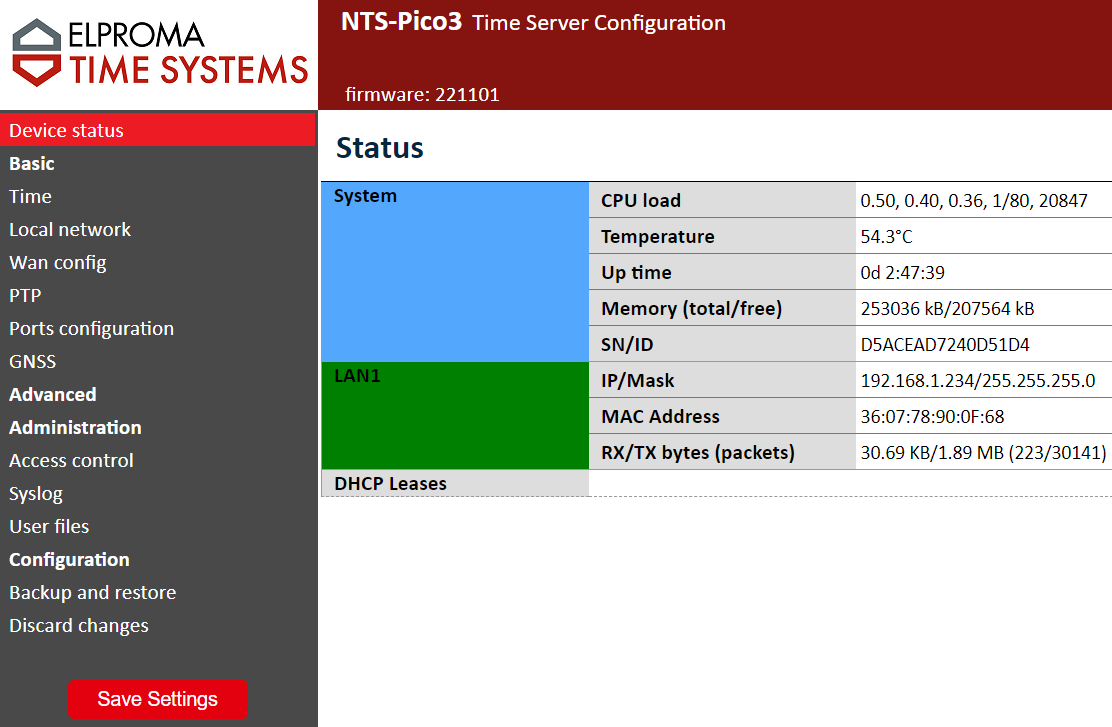
This page contains full description of all NTS-pico3 web platform windows.
Login
To login to the Web platform of NTS-pico3 you must enter IP address in the web browser. Default address, username and password can be found on the device sticker. Default values are:
| Name | Value |
|---|---|
| IP address | 192.168.1.234 |
| Username | admin |
| Password | 12345 |
Web platform
| Device status | Basic | Administration | Configuration |
|---|---|---|---|